Getting Claude to Create How-To Guides from Screenshots
A newfound AI workflow I’ve been using is generating product documentation from annotated screenshots. Any screenshot tool with annotation features and a multimodal model will work - I use CleanShotX and Claude.
The AI analyzes each screenshot - identifying UI elements, navigation paths, and on-screen text - then synthesizes it all into clear step-by-step instructions.
What makes this powerful:
- Simply take screenshots and annotate them as you work through any flow
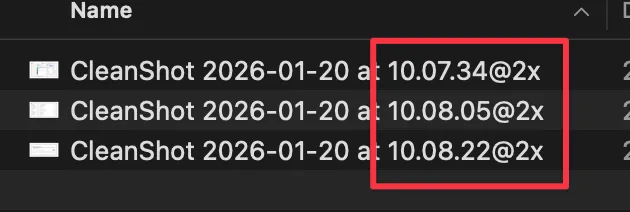
- Timestamp-based filenames help the model understand the sequence, while annotations provide the human guidance
While this example uses just 3 screenshots, the workflow scales to complex guides with 10+ screenshots.
Let me demonstrate with an example: a guide to opt out of LinkedIn’s AI data sharing.
Step 1: Take screenshots and annotate them
For this guide, I captured three screenshots showing the path to LinkedIn’s AI settings and annotated the key areas with CleanShotX:
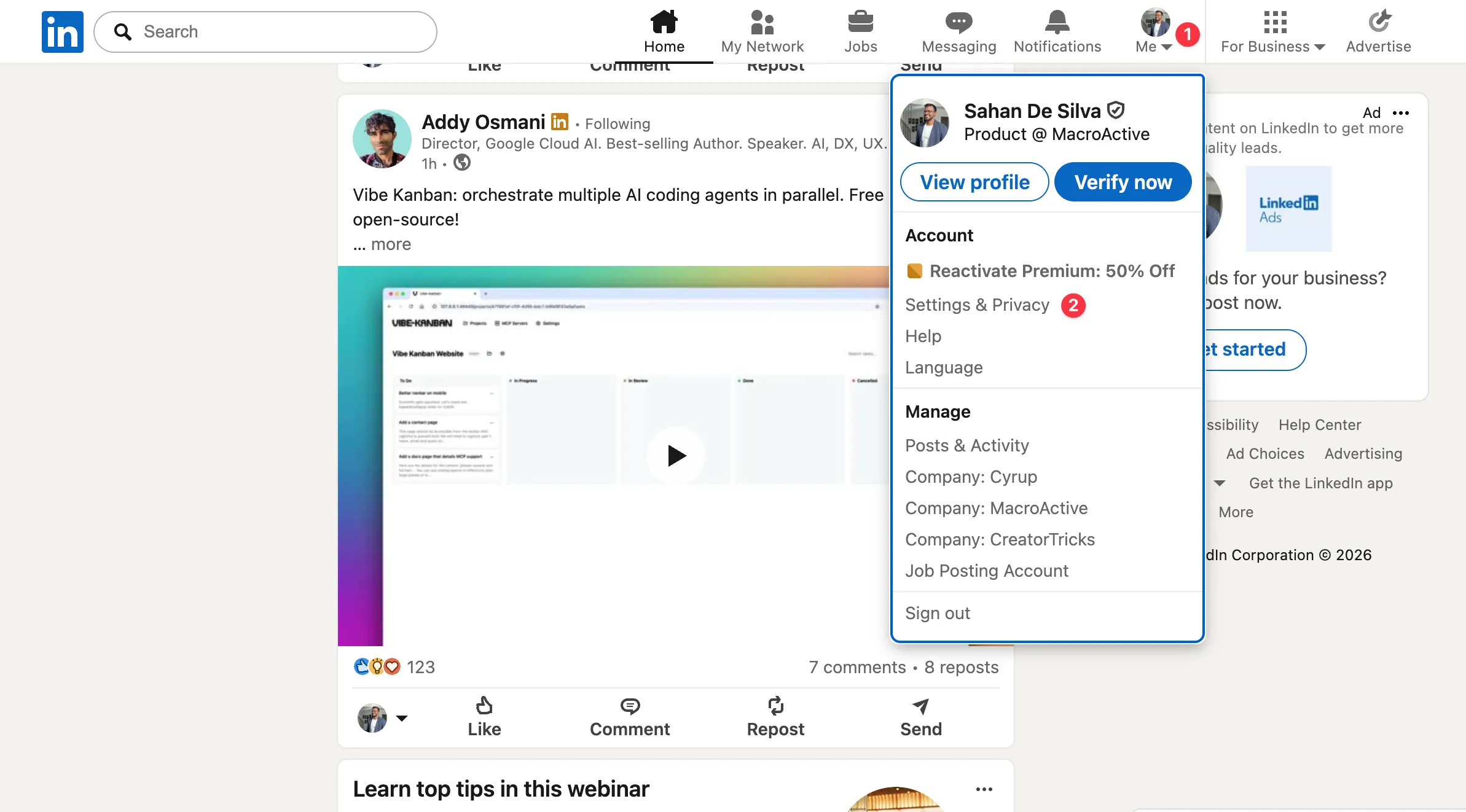
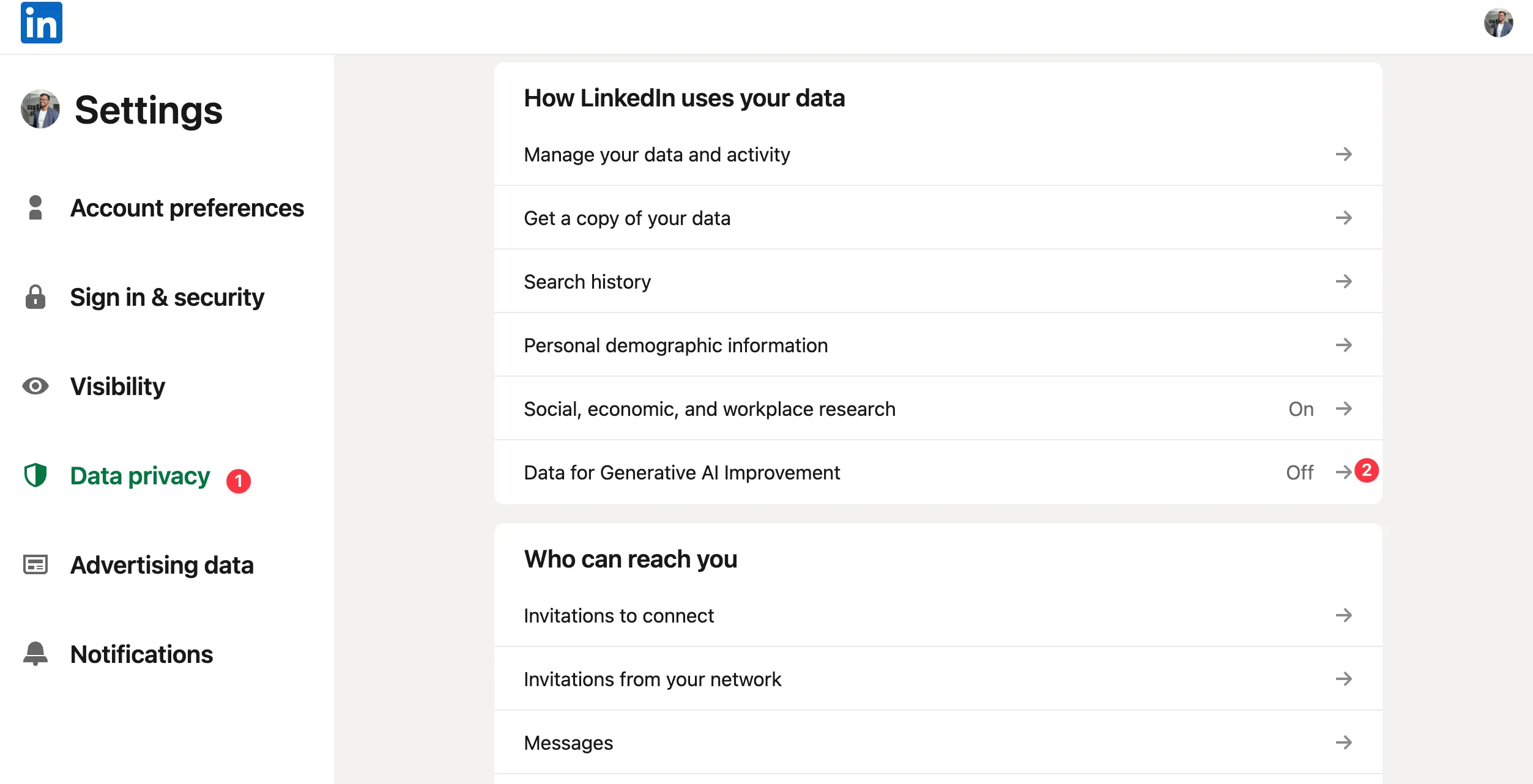

Notice how the filenames show the timestamp order:
Step 2: Ask AI to generate the guide
I usually stick to Markdown as it’s easy to transfer to other platforms. Here’s a simple prompt that works:
The current folder contains a bunch of screenshots. The filenames indicate the order the steps should be executed. Generate a step-by-step guide explaining how to opt out of LinkedIn's AI data training based on these screenshots.Pro tip: Claude can also generate titles directly from screenshots - no need to specify one in your prompt.
The Output
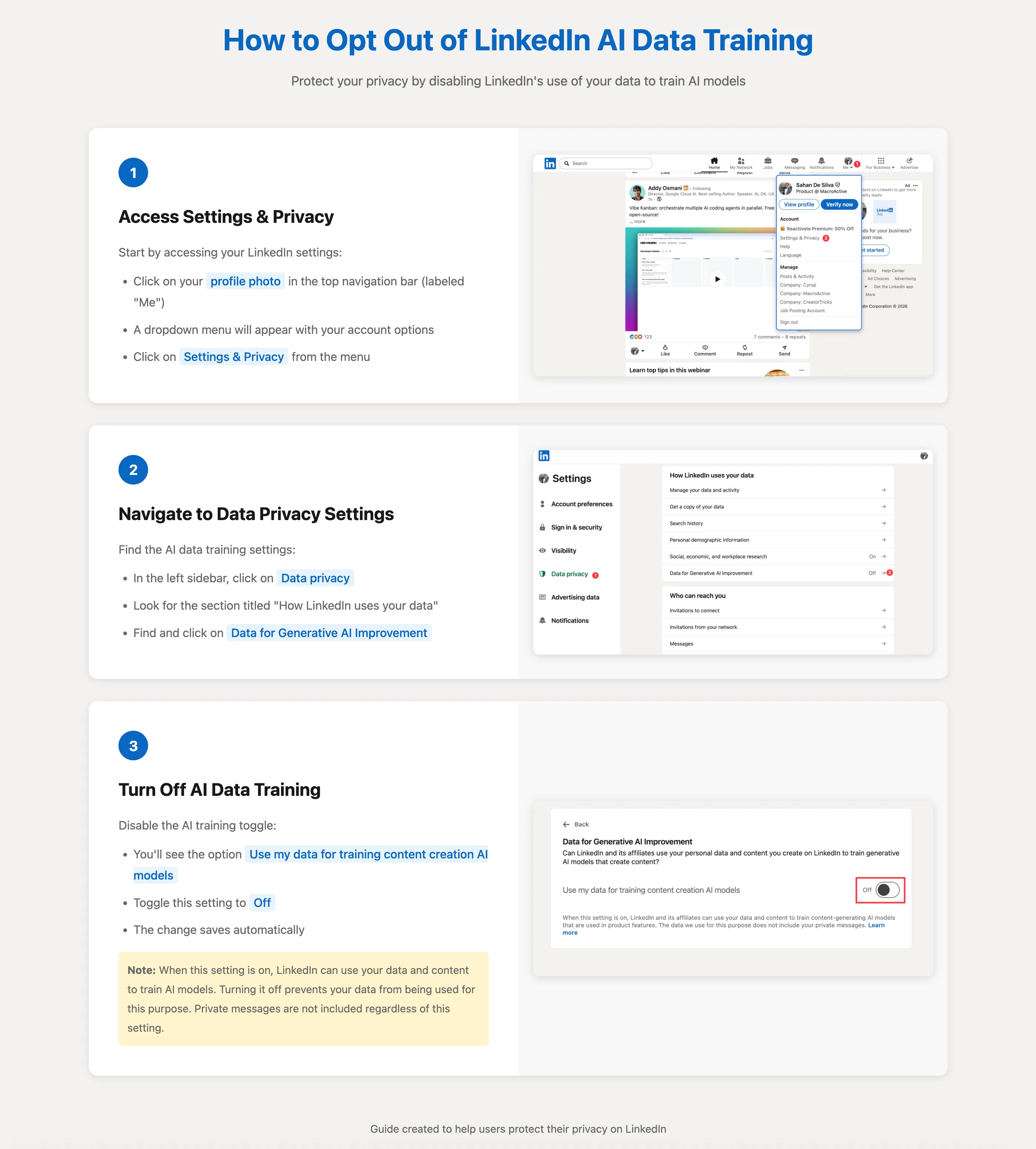
Here’s what Claude generated from those three screenshots:
Last modified: 5 Feb 2026